
Download 3D Canvas – Free 3D Modeling Tool for Windows
Overview
3D Canvas is a lightweight yet powerful 3D design and modelling application that has been a favorite among hobbyists and budding designers since its first appearance in the mid‑2000s. Built specifically for Windows platforms ranging from Windows 2000 to more recent releases, the program offers a surprisingly rich set of tools while keeping its installation footprint modest. The current stable release, version 7.1.1.2, was refreshed on April 1 2008 and remains fully functional for creating, editing, and exporting basic 3D meshes.
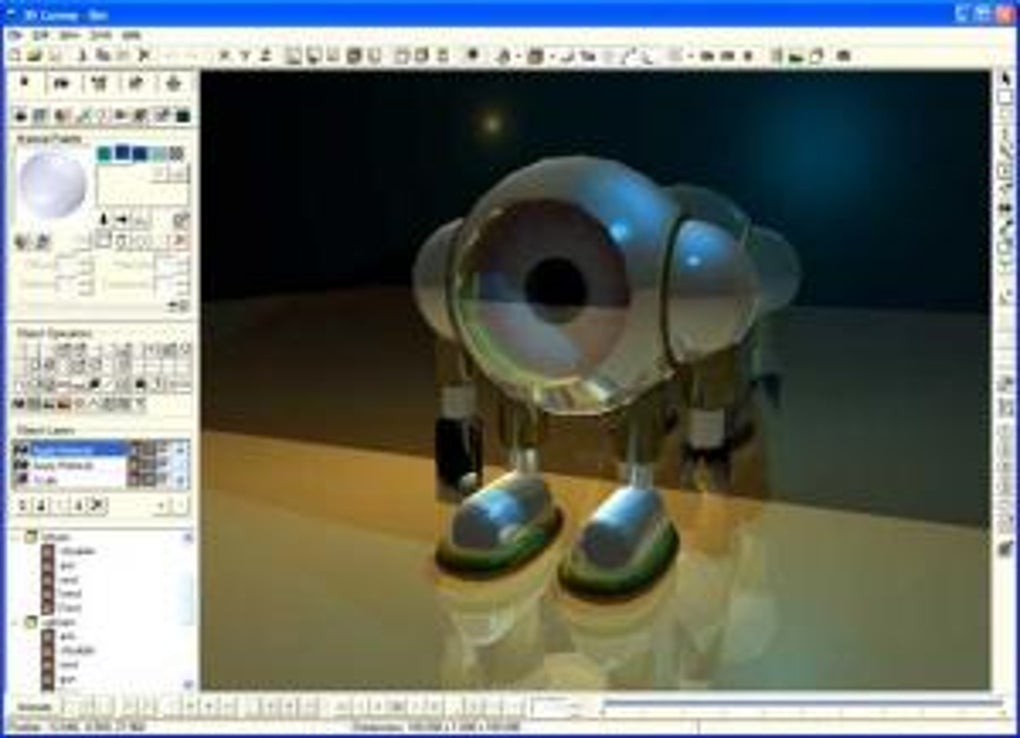
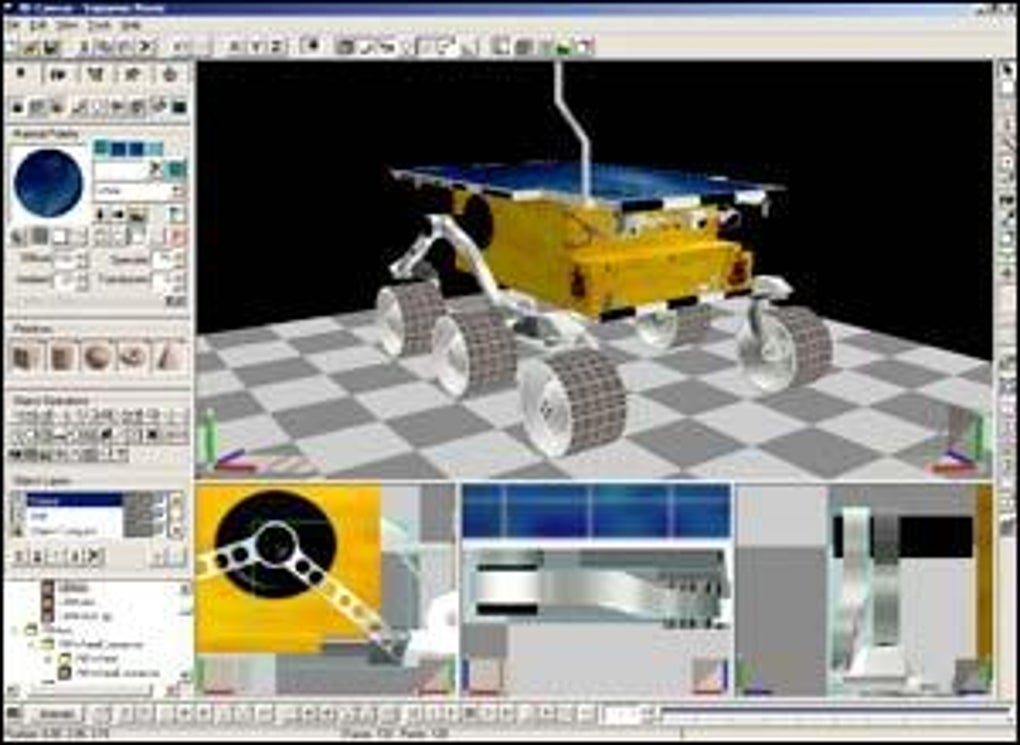
With over 135 000 downloads worldwide—particularly in Indonesia, the United States, and India—3D Canvas proves that a free tool can still deliver a solid learning curve for anyone eager to fine‑tune their 3D modelling skills. Whether you are a student exploring the fundamentals of polygonal design, an indie game developer needing quick mock‑ups, or an artist looking for an inexpensive alternative to heavyweight suites, 3D Canvas provides an accessible entry point without sacrificing essential features such as texture mapping, basic animation, and file format compatibility. Its interface is intentionally straightforward: toolbars, a viewport, and a property panel that mirrors the layout of many commercial 3D packages, making the transition to more advanced software smoother.
Because the program is free and regularly updated by a dedicated community, you also benefit from a stable, secure download source and occasional bug‑fix patches that keep the application ready for modern Windows environments.
Key Features of 3D Canvas
- Intuitive Modeling Tools: Create and edit vertices, edges, and faces using familiar selection, extrusion, and bevel operations.
- Texture Mapping & UV Unwrapping: Apply bitmap textures, adjust UV coordinates, and preview material assignments in real time.
- Basic Animation Support: Set keyframes for simple transformations, enabling quick motion previews for game assets.
- Wide File Compatibility: Import and export popular formats such as OBJ, 3DS, DXF, and STL, facilitating workflow with other CAD or game‑engine tools.
- Lightweight Installation: Requires less than 30 MB of disk space, making it ideal for low‑spec machines or portable USB installations.
- Customizable Interface: Dockable toolbars and adjustable viewport layouts let users tailor the workspace to personal preferences.
- Free Updates & Community Support: Regular patches are posted on the official site, and an active forum provides tutorials, scripts, and troubleshooting tips.
- Integrated Rendering Preview: Simple ray‑traced preview renders give a quick visual of lighting and material effects without needing an external renderer.
Installation, Usage Instructions & Compatibility
Installing 3D Canvas on a Windows PC is a straightforward three‑step process. First, download the installer from the official website or a reputable software catalog that hosts the latest version (7.1.1.2). The .exe file is signed and scanned for malware, ensuring a secure download experience.
Second, run the installer and follow the on‑screen prompts: accept the license agreement, choose an installation directory (the default path works well for most users), and let the wizard copy the necessary files. Because the program is optimized for older Windows versions, it automatically detects the appropriate system libraries, meaning you won’t need to install additional runtimes such as .NET Framework or Visual C++ redistributables unless your system is extremely minimal. The final step is launching 3D Canvas from the Start menu or desktop shortcut.
Upon first launch, a brief tutorial window walks you through the layout—highlighting the viewport, toolbars, and property panels—so even newcomers can start modelling within minutes.
Operating System Compatibility: The software is officially listed for Windows 2000 and later, covering Windows XP, Vista, 7, 8, and even Windows 10 in most cases. While the application was designed before the advent of Windows 11, users have reported successful operation under compatibility mode, especially when running the program as an administrator. For users on macOS or Linux, a virtual machine or compatibility layer such as Wine can be employed, although native performance may vary.
Basic Workflow: After opening a new project, start by adding a primitive shape (cube, sphere, cylinder) via the Insert menu. Use the Select tool to pick vertices or edges, then apply Extrude or Bevel to shape the geometry. To apply textures, import an image file (BMP, JPG, PNG) through the Material editor, then adjust UV coordinates using the built‑in UV layout view. For simple animations, switch to the Animation tab, set keyframes for position or rotation, and preview the motion in the timeline. When the model is complete, export it in the desired format (OBJ is recommended for cross‑platform compatibility) and import it into your game engine or 3‑D printing software.
System Requirements: A 1 GHz processor, 512 MB RAM, and a graphics card supporting OpenGL 1.1 are sufficient. Because the rendering engine is basic, you won’t need a high‑end GPU, which aligns with the program’s goal of being accessible on older hardware.
Pros, Cons, FAQ & User Review
Pros
- Free to download and use without hidden fees.
- Very low disk‑space requirement, ideal for legacy PCs.
- Straightforward interface that reduces the learning curve.
- Supports key 3‑D file formats for easy integration with other tools.
- Active community offering tutorials, plugins, and troubleshooting help.
Cons
- Latedate of last official update (2008) may cause compatibility quirks on newer Windows versions.
- Lacks advanced sculpting, physics simulation, and high‑quality rendering features found in modern suites.
- No native support for macOS or Linux without third‑party compatibility layers.
- Limited material library compared with commercial alternatives.
- Animation capabilities are basic and not suited for complex rigging.
Frequently Asked Questions
Is 3D Canvas safe to download?
Yes. The installer is digitally signed and hosted on reputable software repositories. Always download from the official site or trusted mirrors to avoid bundled adware.
Can I use 3D Canvas for commercial projects?
The license permits free personal and commercial use, provided you do not redistribute the software itself. Check the EULA for any attribution requirements.
What file formats can I export from 3D Canvas?
Common formats include OBJ, 3DS, DXF, and STL. OBJ is recommended for most game engines and 3‑D printing pipelines.
Does 3D Canvas run on Windows 11?
While not officially certified, many users report success by running the program in Windows 11 compatibility mode (Windows 7 or Windows 8). Running as administrator can also resolve occasional permission issues.
Is there a way to extend 3D Canvas with plugins?
The community has created several third‑party scripts and texture packs that can be manually added to the plugins folder. Official documentation provides guidelines for creating custom extensions.
3D Canvas remains a solid entry‑level modelling tool for Windows users who need a free, lightweight solution. Its core features—basic modeling, texture mapping, and simple animation—cover the essential workflow for beginners and hobbyists. Although the software lacks modern refinements such as PBR materials or advanced sculpting brushes, its ease of use and tiny footprint make it a worthwhile download for anyone learning the fundamentals of 3‑D design. The community support, along with straightforward export options, compensates for the absence of a native Mac or Linux version. Overall, 3D Canvas earns a respectable 4‑star rating for delivering reliable functionality without cost.
Conclusion & Call to Action
If you are looking for a free, secure, and easy‑to‑learn 3‑D modelling program that runs on virtually any Windows machine, 3D Canvas is a compelling choice. Its modest system requirements and straightforward interface let you jump straight into creating meshes without wrestling with overwhelming menus or licensing fees. While power users may eventually graduate to more feature‑rich suites, the program serves as an excellent stepping stone for students, indie developers, and hobbyists who want to hone their design skills without a financial commitment. Ready to start shaping your ideas in three dimensions? Download 3D Canvas now and begin exploring the world of 3‑D modelling today.







